How to create a Client or a Brand in Digital Signage
Here we will explain the function to create customers or brands for our system.
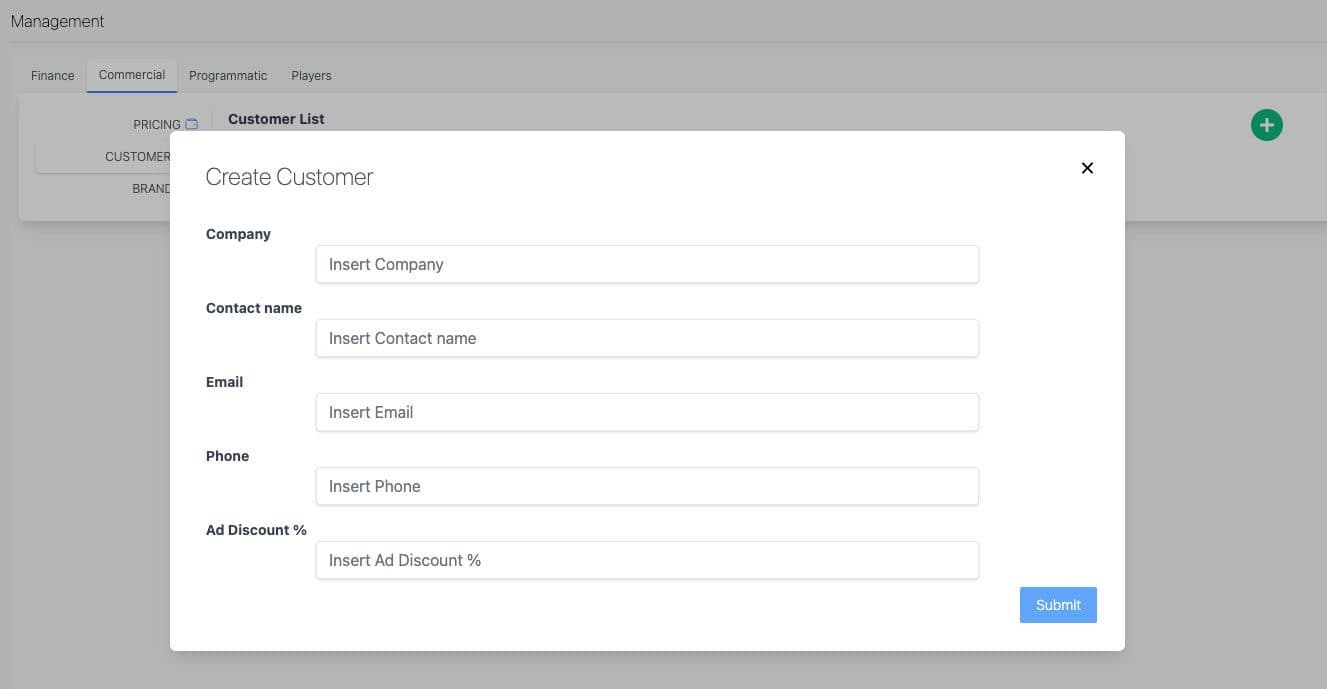
How to create client or brand in Digital Signage? The first thing we must do is go to administration on our** left** of the screen Then we enter a screen that has four tabs, (finance, commercial, programmatic, players). We choose commercial, here, as the video shows, Clients and Brands will appear. We select the one we want to add.
More ideas for programmatic DOOH teams
Continue with practical reads on audience intelligence, inventory strategy and measurable real-world media.
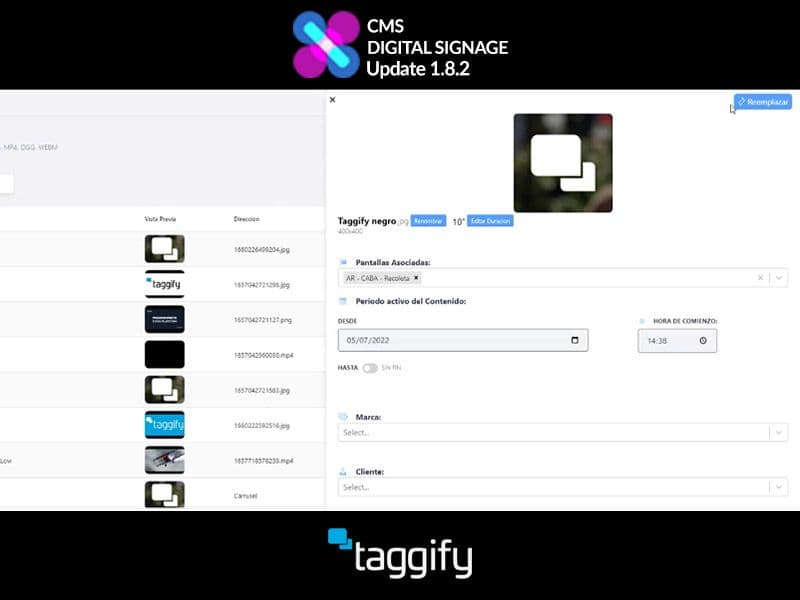
How to replace content with another
In the last update 1.8.2 of Taggify's Digital Signage, developers work and optimize several things and content replacement was one of them.

Programmatic DOOH Glossary: A Practical Guide to Outdoor Advertising
The out-of-home advertising (OOH) ecosystem and its programmatic version—programmatic DOOH or pDOOH—use technical terms that can confuse advertisers, planners, and creatives. This glossary clearly explains the most relevant concepts so you can plan, buy, and measure outdoor advertising campaigns more effectively.
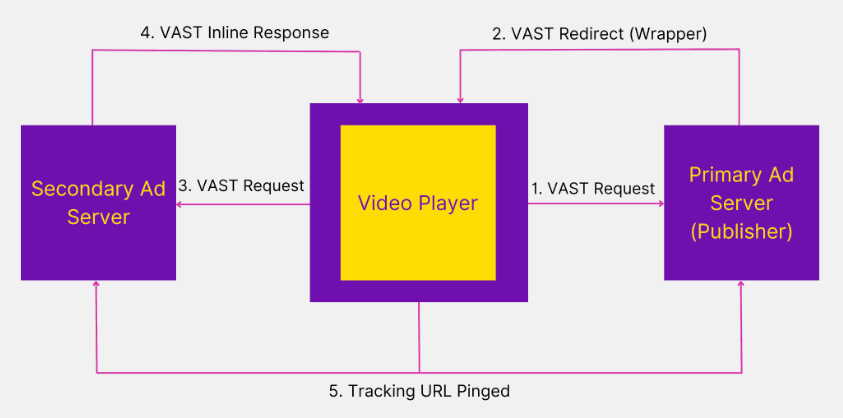
How to add a VAST Tag in a pDOOH Campaign
In this article, we will explore the powerful capability of our Digital Out of Home (DOOH) platform to upload VAST-compliant advertisements. Discover how to create and edit campaigns, select specific screens, and leverage the benefits of VAST as a medium/format of advertising in the DOOH environment.